Updated: October 2026 | Estimated reading time: 8 minutes
Paying business bills sounds simple until the invoices start piling up.
One vendor emails a PDF, another sends a reminder, and someone on your team forgets to approve a payment. Before long, you’re juggling spreadsheets, chasing signatures, and wondering whether an invoice has already been paid.
That’s where accounts payable automation software can make a difference.
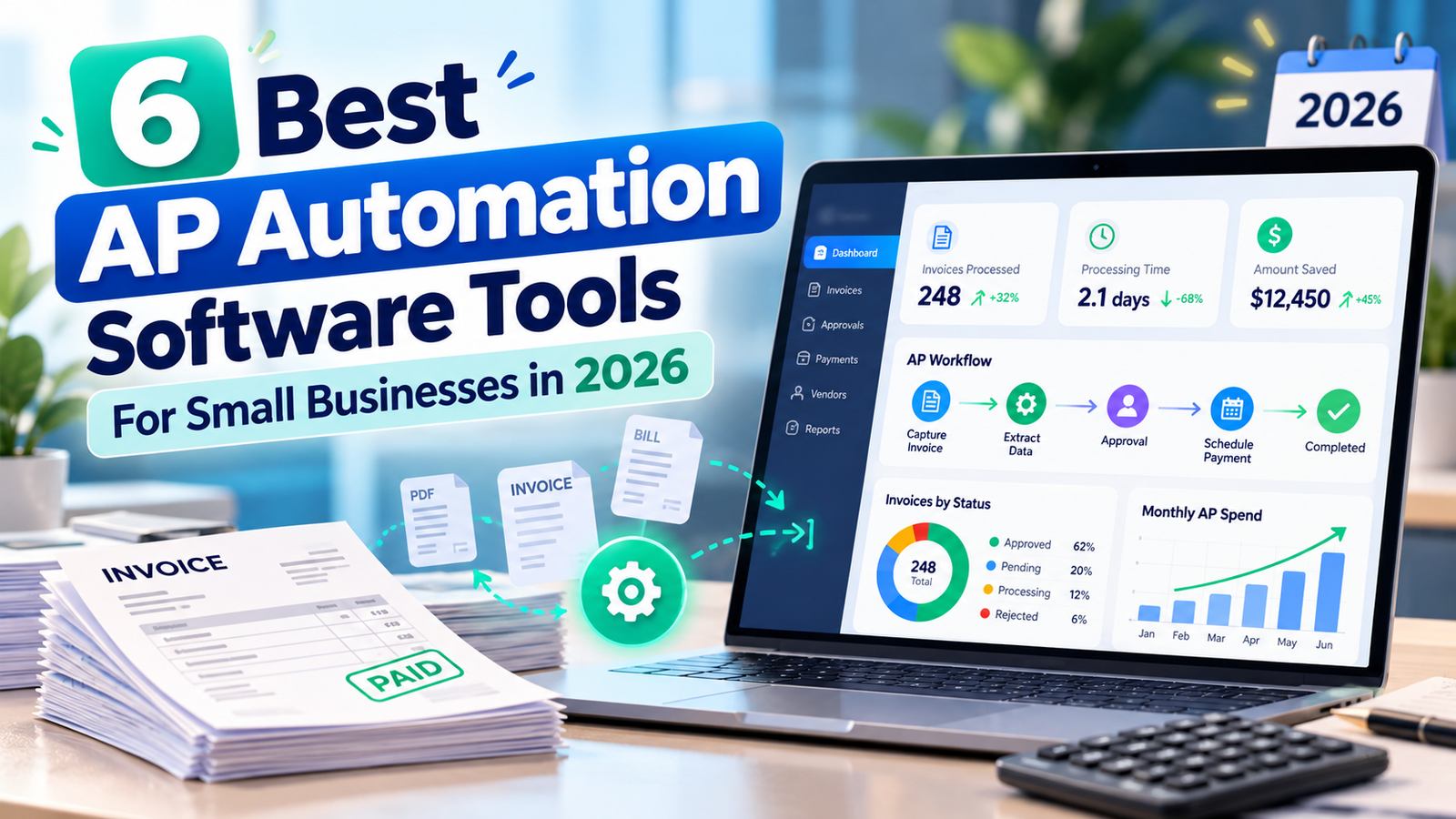
Instead of manually entering invoice details, forwarding emails, and updating accounting records, AP automation software brings those tasks into one organized workflow.
But not every tool is designed for the same business. Some focus on affordable bill payments, while others offer advanced invoice approvals, accounting integrations, and international supplier payments.
In this guide, we’ll compare six of the best AP automation software tools for small businesses in 2026, including their features, pricing, advantages, and limitations.
What Is AP Automation Software?
Accounts payable (AP) automation software helps businesses manage the process of receiving, approving, recording, and paying supplier invoices.
Traditional accounts payable involves several manual steps: entering invoice information, checking payment amounts, requesting approvals, scheduling payments, and updating accounting records.
AP automation reduces repetitive work by connecting those steps.
Depending on the platform, features may include:
- Automated invoice data capture
- AI-powered invoice processing
- Approval workflows and payment controls
- Duplicate invoice detection
- ACH, check, and international payments
- QuickBooks, Xero, or ERP integrations
- Financial reporting and audit trails
For a business processing only a handful of invoices each month, basic bill payment tools may be enough. A company managing hundreds of invoices across departments may benefit from more sophisticated automation.
Best AP Automation Software: Quick Comparison
| Software | Best For | Starting Price |
|---|---|---|
| Ramp | Free AP workflows and spend management | Free plan available |
| BILL | Growing businesses needing structured approvals | $49/user/month |
| Melio | Small businesses and contractor payments | Free plan available |
| QuickBooks Bill Pay | Existing QuickBooks users | Basic included with QuickBooks |
| Tipalti | Global supplier payments | From $99/month plus fees |
| Stampli | Invoice collaboration and complex approvals | Custom quote |
Prices are based on published US information reviewed in October 2026. Promotions, payment fees, eligibility, and plan details can change.
1. Ramp — Best for Affordable AP Automation
Ramp is worth considering if your business wants to manage bills, expenses, and company spending in one place.
Its Bill Pay tools let finance teams collect invoices, organize payment approvals, and synchronize financial information with supported accounting systems.
One reason Ramp stands out is its free entry-level plan. That makes it appealing to growing businesses that want to improve their accounts payable workflow without immediately committing to expensive software.
Key Features
- AI-assisted invoice capture and data entry
- Automated bill approval workflows
- Vendor payment management
- Accounting integrations
- Corporate cards and expense management
- Spending visibility and reporting
Pricing: Ramp offers a free plan, alongside paid Plus and Enterprise options. Some advanced automation features require higher tiers.
Best for: US businesses looking for AP automation alongside corporate spending controls.
Potential drawback: Ramp’s wider platform may offer more functionality than a company needs if it only wants basic bill payments. Advanced tools, integrations, and eligibility requirements should be checked before signing up.
Verdict: Ramp is a strong starting point for smaller finance teams that want to reduce manual invoice work while managing company expenses.
Official website: https://ramp.com
2. BILL — Best for Growing Small Businesses
BILL is an established name in accounts payable and accounts receivable management.
For businesses moving beyond spreadsheets, its biggest advantage is bringing invoice processing and bill approvals into a structured system.
Instead of relying on email conversations to determine whether a payment is approved, teams can track bills and manage authorization rules within the platform.
BILL also offers accounting integrations, although the available integrations depend on the subscription.
Key Features
- Centralized invoice management
- Automated bill approval workflows
- Vendor payment processing
- AI-assisted coding on eligible plans
- QuickBooks and Xero integration on supported tiers
- Accounts receivable functionality
BILL Pricing in 2026
The published US subscription tiers include:
- Essentials: $49 per user/month
- Team: $65 per user/month
- Corporate: $89 per user/month
- Enterprise: Custom pricing
Payment transaction fees may apply.
One important detail: BILL’s Essentials plan primarily uses manual CSV import/export for accounting data. Businesses wanting automatic two-way synchronization should compare the Team plan or higher.
Best for: Small and midsize businesses that need more organized invoice approvals and accounting workflows.
Potential drawback: Per-user subscriptions and payment charges can add up as a finance team grows.
Verdict: BILL makes sense when your company has outgrown manual invoice tracking and needs reliable workflows with room to expand.
Official website: https://www.bill.com
3. Melio — Best for Small Business Bill Payments
Not every business needs an extensive financial operations platform.
For a freelancer, local business, or small agency, the immediate challenge might simply be paying vendors on time without spending hours on administrative work.
Melio focuses on making business payments easier to manage.
Businesses can organize bills, pay suppliers using supported methods, and connect with accounting platforms such as QuickBooks Online and Xero on eligible plans.
Its payment flexibility can be particularly useful when dealing with contractors and suppliers who prefer different payment methods.
Key Features
- Online bill payment management
- ACH and check payment options
- Credit card-funded payments, where eligible
- Invoice capture tools
- Accounting synchronization on supported plans
- Scheduled and batch payments
Pricing: Melio offers a free Go tier and paid plans with additional features. ACH allowances, subscription costs, payment fees, and accounting sync limits vary by plan.
Best for: Freelancers, independent contractors, and small US businesses with straightforward vendor payment requirements.
Potential drawback: Higher-level approval workflows, team management, and advanced automation can require paid subscriptions.
Verdict: If the priority is convenient supplier payments rather than complex financial operations, Melio deserves a close look.
Official website: https://melio.com
4. QuickBooks Bill Pay — Best for Existing QuickBooks Users
If your business already uses QuickBooks Online, adding an entirely separate accounts payable platform might create unnecessary work.
QuickBooks Bill Pay provides bill management and payment features directly within the accounting software.
Businesses can upload invoices, review bill information, organize vendor records, and make eligible payments without constantly switching between systems.
This connected approach can reduce duplicate data entry and make reconciliation easier.
Key Features
- AI-assisted bill creation
- Vendor payment scheduling
- ACH payment processing
- Accounting and payment records in one system
- Vendor and 1099 management
- Advanced approval workflows on eligible tiers
Pricing
QuickBooks Bill Pay Basic is included with eligible QuickBooks Online subscriptions. QuickBooks Online plans start at a separately charged subscription price.
Premium and Elite options provide additional capabilities. QuickBooks Online Advanced also includes Bill Pay Elite.
Standard ACH payments are currently advertised without an additional transaction fee, subject to applicable terms and eligibility.
Best for: Small businesses already maintaining their books in QuickBooks Online.
Potential drawback: Businesses using other accounting systems may find a standalone AP platform more practical.
Verdict: For existing QuickBooks customers, checking the built-in Bill Pay features before purchasing another subscription is a sensible first step.
Official website: https://quickbooks.intuit.com/bill-pay/
5. Tipalti — Best for International Supplier Payments
Paying suppliers across multiple countries introduces challenges that domestic bill payment systems may not fully address.
Businesses may need to handle currencies, tax documentation, supplier onboarding, payment approvals, and reconciliation across several entities.
Tipalti is designed for more sophisticated accounts payable requirements.
Its platform combines invoice automation, supplier management, financial controls, and global payment capabilities.
Key Features
- Automated invoice capture and coding
- Purchase order matching
- Supplier onboarding portals
- International payment support
- Tax documentation and validation tools
- ERP integrations
- Multi-entity financial operations
Pricing: Tipalti Accounts Payable plans start at $99 per month, with additional transaction fees and possible costs for expanded services.
The platform may require a custom quote depending on payment volume, business structure, and integrations.
Best for: Growing businesses with international vendors, multiple entities, or more complicated financial operations.
Potential drawback: Implementation requirements and transaction costs may be excessive for businesses processing only a small number of domestic invoices.
Verdict: Tipalti is better suited to companies managing substantial or complex accounts payable workflows than to businesses seeking the simplest bill payment solution.
Official website: https://tipalti.com
6. Stampli — Best for Invoice Approvals and Collaboration
Sometimes the most frustrating part of accounts payable isn’t entering the invoice. It’s finding out who needs to approve it.
A supplier sends a bill, an employee has a question about the amount, and the finance department spends days following up.
Stampli focuses heavily on the collaboration and approval side of invoice processing.
It brings invoice-related communication, accounting information, and workflow history together so teams can resolve issues without losing track of important details.
Key Features
- AI-assisted invoice capture and coding
- Configurable approval workflows
- Invoice-centered team collaboration
- Duplicate and exception review capabilities
- ERP synchronization
- Audit trails and financial controls
Pricing: Stampli uses custom, quote-based pricing.
Best for: Businesses with several departments, multiple approvers, or more demanding accounting processes.
Potential drawback: Businesses must contact sales to understand total costs and implementation requirements.
Verdict: Stampli deserves consideration when invoice approvals and communication delays are creating operational problems.
Official website: https://www.stampli.com
How to Choose the Best Accounts Payable Automation Software
Choosing the right software starts with understanding where your current process breaks down.
Before comparing subscriptions, ask yourself five questions.
1. How Many Invoices Do You Process?
A company processing 15 bills monthly has very different requirements from one managing 500.
Low-volume businesses may only need scheduling, reminders, and basic accounting synchronization.
Higher-volume teams should consider invoice extraction, approval routing, exception handling, and bulk processing.
2. Does It Integrate With Your Accounting Software?
An AP platform should reduce duplicate work, not create another database that employees must update manually.
Confirm whether the software supports your specific version of QuickBooks, Xero, NetSuite, or another accounting platform.
Also check whether the integration is automatic, bidirectional, or limited to file exports.
3. What Will You Actually Pay?
The subscription is only one part of AP automation pricing.
Calculate the combined cost of user licenses, invoice processing, payment transactions, international transfers, implementation, and optional integrations.
A cheap monthly plan can become expensive when transaction volume increases.
4. Who Needs to Approve Payments?
If the owner approves every bill, a basic workflow may be sufficient.
Larger teams should look for spending limits, department-based approvals, role permissions, and clear audit records.
5. Do You Pay International Vendors?
Companies making overseas payments should check supported currencies, payment destinations, exchange-rate costs, and supplier documentation requirements.
Not every US bill payment platform supports international transactions equally.
Is AP Automation Software Worth the Cost?
For many businesses, the value of AP automation comes from reducing repetitive work and improving payment visibility.
Consider a business processing 200 invoices each month. If automation saves just three minutes per invoice, that’s approximately 10 staff hours saved monthly.
At an illustrative labor cost of $30 per hour, that represents $300 of staff time.
This is not a guaranteed financial saving. The real benefit depends on invoice volume, existing processes, software expenses, and the work employees can redirect their time toward.
Accuracy also matters. Better visibility into approvals and payment status can help businesses investigate duplicate invoices, avoid preventable delays, and maintain clearer financial records.
Frequently Asked Questions
What is the best AP automation software for small businesses?
It depends on your workflow. Ramp is worth comparing for cost-conscious teams, BILL for structured accounts payable management, Melio for straightforward vendor payments, and QuickBooks Bill Pay for existing QuickBooks users.
Is there free accounts payable automation software?
Yes. Ramp offers a free plan, and Melio has a free tier. QuickBooks Bill Pay Basic is included with eligible paid QuickBooks Online subscriptions. Free options may have feature, transaction, or eligibility limitations.
Does AP automation software work with QuickBooks?
Many platforms integrate with QuickBooks, including BILL, Melio, and Ramp. However, synchronization capabilities and supported QuickBooks versions vary by vendor and subscription.
Can AP automation prevent duplicate payments?
Some platforms provide duplicate invoice detection and approval controls that help identify potential errors. However, businesses should continue verifying vendor information, invoice amounts, and payment authorizations.
How much does AP automation software cost?
Entry-level plans can be free, while paid subscriptions may be charged per user, per month, or per transaction. More complex platforms can require implementation services and customized pricing.
Final Thoughts
The best accounts payable automation software isn’t necessarily the platform with the longest feature list.
It’s the one that removes the biggest problems from your company’s payment process.
For smaller businesses, affordability and simplicity often matter most. As invoice volume increases, stronger approvals, accounting integrations, and reporting become more important.
Start by reviewing your monthly invoice volume, your existing accounting software, and the total cost of each option.
Then compare the features that your team will actually use.
A well-chosen AP automation system won’t eliminate the need for financial oversight, but it can help make bill processing more organized, predictable, and easier to manage.